Share it 5–10 minutes before you plan to collect messages or questions so guests can get connected. Explain what it is for, such as pre-show messages, questions, reflections, or a poll.
Use cases
Audience participation for concerts, talks, camps, and conferences.
Collect pre-show messages, audience questions, camp reflections, and conference polls by QR. Display submissions your team has reviewed.
01 · Concerts
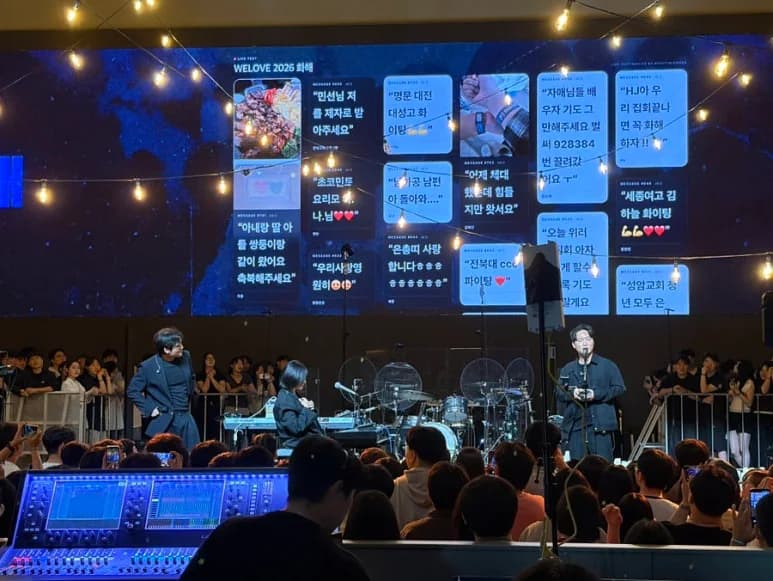
Bring audience messages and photos to the screen before the show.
Display messages and photos from arrival until the show begins. During the concert, guests can like displayed messages, and your team can share what's next on the guest screen.
Pre-show anticipationBreaks between performancesMessages around the encore
1Guests
- Send messages and photos by QR
- See displayed messages
- Like favorite messages
2Your team
- Review incoming messages and photos
- Approve content for display
- Switch between announcements and messages
3On the event screen
- Pre-show messages and photos
- Messages approved by your team
- What's next and event announcements
Real event recordsAudience messages and photos appeared on screens at concerts with around 2,000 and 8,000 attendees. Figures refer to total event attendance.
Plan details · Photo messages are available on Pro and Custom.
02 · Talk shows & Q&A
Collect audience questions. Choose what to answer next.
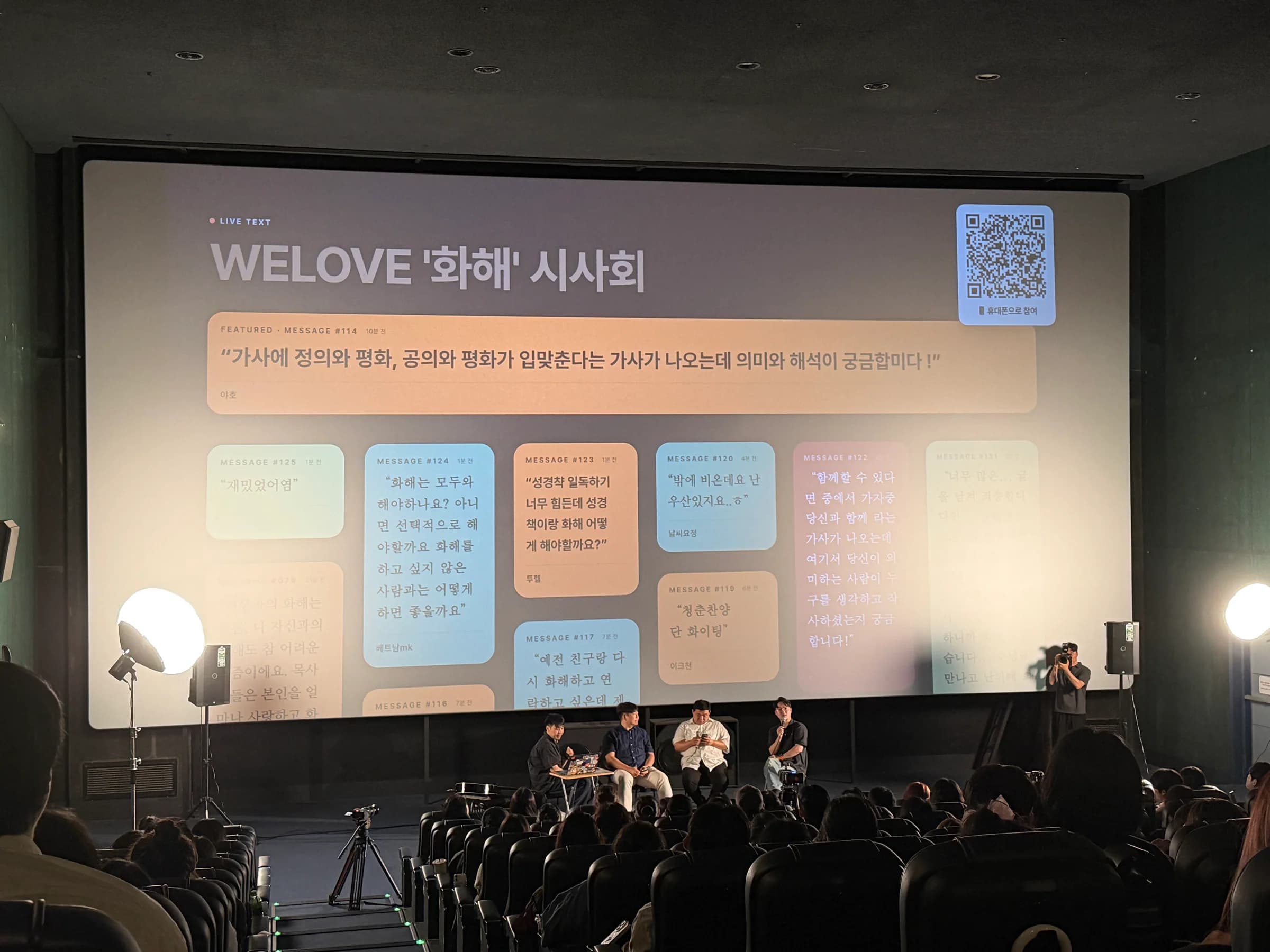
Even guests who hesitate to raise a hand can ask a question by QR. Your team reviews duplicates and selects questions to display for the panel.
Questions before the talkQuestions for individual panelistsFinal questions before the session ends
1Guests
- Send questions or stories by QR
- See other guests' questions
- Like questions that resonate
2Your team
- Review questions and classification results
- Review duplicate questions
- Choose the next question to answer
3On the event screen
- Audience questions selected by your team
- Questions for the host and panel
- Questions with the most likes
Real event recordsAudience questions were collected and displayed at talk shows and preview events with around 200 and 300 attendees. Figures refer to total event attendance.
03 · Camps & worship
Share reflections, encouragement, and photos together.
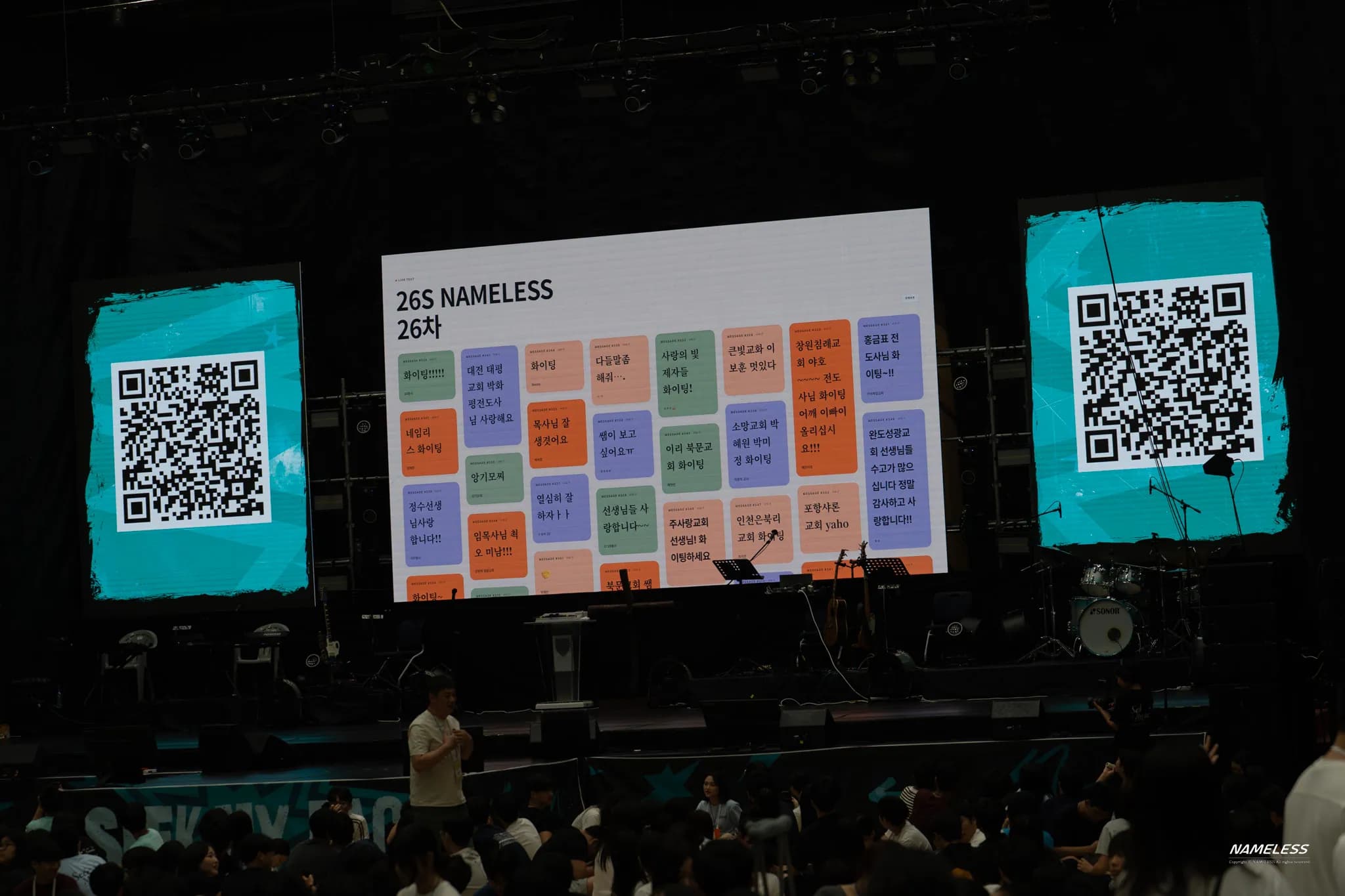
From welcoming guests before worship to sharing at retreats and camps, your team reviews guest messages and photos before displaying them for everyone to see.
Participation before worship or gatheringsReflections and encouragement at campSharing photos and messages together
1Guests
- Send reflections, encouragement, and thanks by QR
- Share photos from the event
- Like displayed messages
2Your team
- Review messages and photos before sharing
- Choose messages for the current session
- Switch between text and photo layouts
3On the event screen
- Guest reflections, encouragement, and thanks
- Event photos reviewed by your team
- Text and photos for the current session
Real event recordsNAMELESS 26 received 564 guest messages, and Anointing Worship Camp received 748.
Plan details · Photo messages are available on Pro and Custom.
04 · Conferences & seminars
Bring session questions and poll results to the screen.
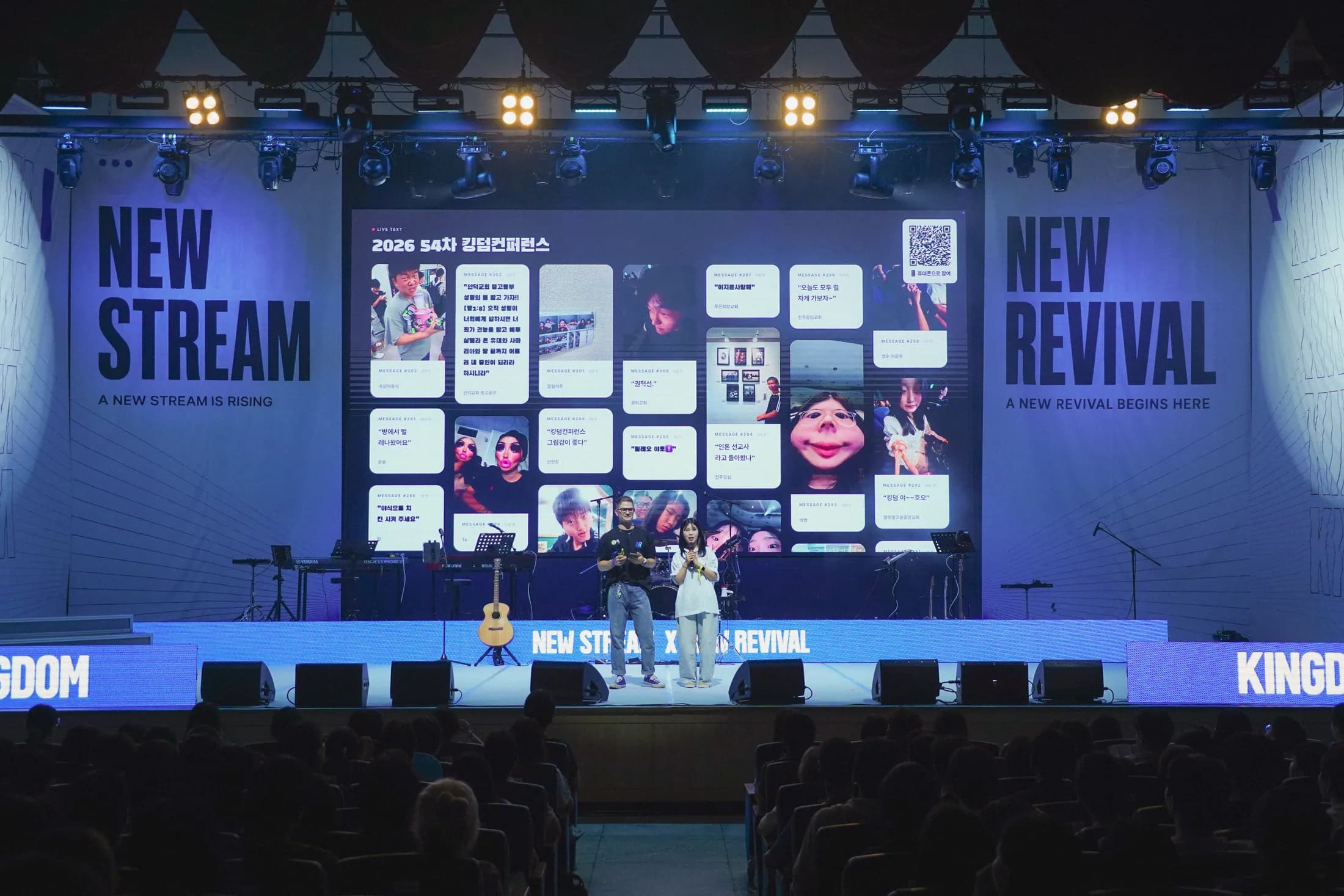
Review session questions in one place and display the ones your team selects. Share announcements and the next session on the guest screen, and run live polls when needed.
Questions for talks and panel discussionsFeedback between sessionsAnnouncements and upcoming sessions
1Guests
- Send session questions and feedback
- Take part in polls
- Read announcements on the guest screen
2Your team
- Review and approve session messages
- Display selected questions and poll results
- Share the next session on the guest screen
3On the event screen
- Session questions selected by your team
- Live poll results
- What's next and event announcements
Real event recordsA total of 682 guest messages were received across the 54th and 55th Kingdom Conferences.
Plan details · Live polls are available on Pro and Custom.
Frequently asked questions
Start with the features your event needs.
Choose the messages, questions, photos, and polls you want to use, then find the approach that fits your event.
LIVE TEXT has been used at events with total attendance ranging from around 200 to 8,000. For larger events, custom screens, or on-site support, discuss your requirements with us through the Custom plan.
Photo messages are available on Pro and Custom. Your team reviews photos before displaying them in a message layout or photo layout.
Yes. Choose the messages, questions, photos, and polls your event needs. For larger events, custom screens, or on-site support, contact us about Custom.
Send a message and see it on the event screen.
Try the guest screen, moderation panel, and event screen in your browser.